


ADT Control ®
4.510.09K Reviews
App Specs
- Version
- 5.10.7
- Updated On
- License
- Free
- Downloads
- 1,000,000+
- Developer
- ADT LLC
- Categories
- Lifestyle
- Platform
- Android, iOS
Screenshots
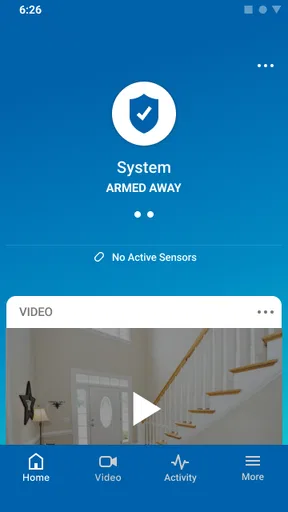
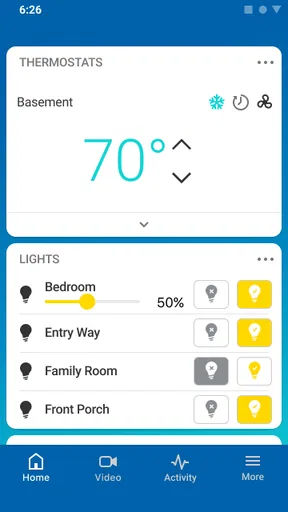
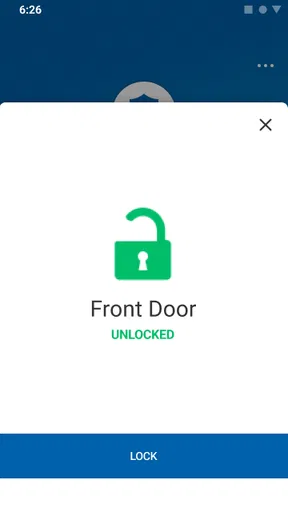
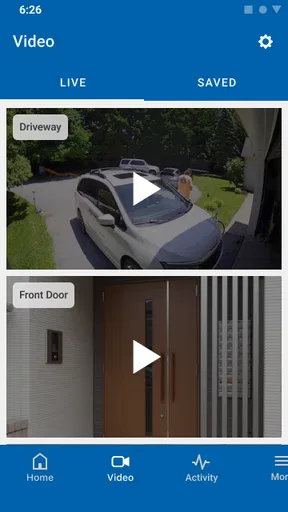
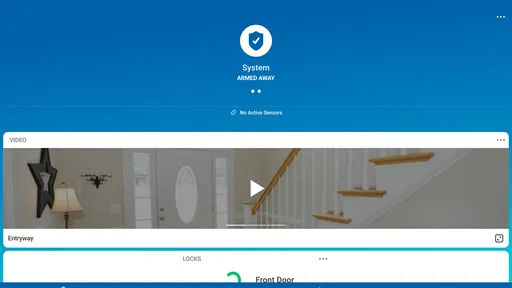
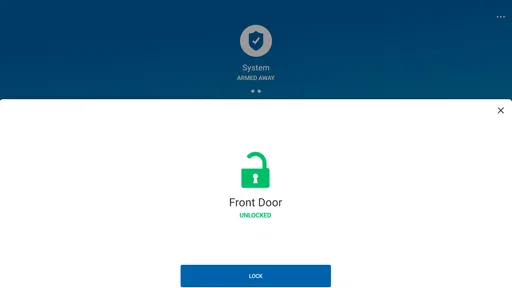
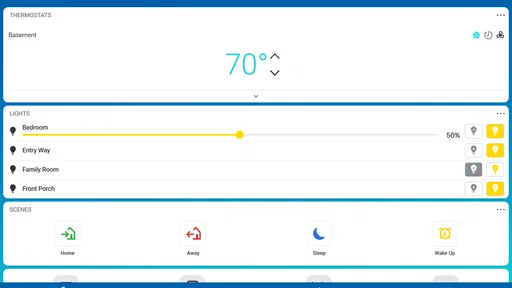
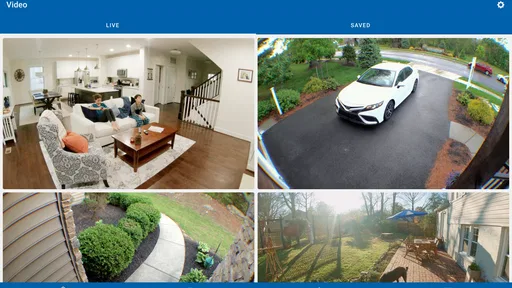
 Analysis by AppCompare
I’m most impressed by ADT Control when I think of it as a daily companion to a compatible ADT home security setup, rather than a standalone smart-home app. The first few days with a system like this can feel reassuring: I can check in from my phone and handle routine security tasks without going back to the panel. The real test, though, is whether those actions remain useful after the novelty wears off. For me, that depends less on how many controls appear in the app and more on whether they fit naturally into the habits I already have.
The first week: reassurance, then a routine
ADT Control is a free lifestyle app from ADT LLC, and the name on the screen reflects its main purpose: managing an ADT security system from a mobile device. It has a 4.6 average from around 137,000 ratings, with more than a million installs. It is rated for Everyone, and the current version is 5.4.4. Those figures suggest broad use, but they don’t tell me whether the app will suit a particular household; compatibility with the ADT setup you actually have matters more than popularity.
In the first week, the practical appeal is easy to understand. I can imagine checking the system before bed, or confirming its status after I’ve driven away, instead of wondering whether I remembered to use the physical controls. Remote access is valuable when it resolves a real question quickly. It is less valuable if I open the app repeatedly just to reassure myself, so I’d use it to establish a small routine rather than turn it into another screen to monitor all day.
Month-to-month value comes from useful habits
Once the initial curiosity fades, the app earns its place when it removes little points of friction. A household member leaving at a different time, a delivery arriving while I’m out, or a change in the evening routine can make remote access useful in ways a wall panel cannot. If the connected system includes cameras or other compatible devices, checking them in the same general place can also be more convenient than switching among separate controls.
That convenience is conditional: ADT Control is a companion to an ADT system, not a magic replacement for the equipment and setup behind it. I would first confirm that the functions I care about are available with my own arrangement, then decide which ones deserve a regular place in my routine. If I only need a basic alarm and rarely manage it remotely, I may not gain enough from opening an app every day to make it essential.
Maintenance is mostly about keeping the setup sensible
The app can make a connected home feel simple, but the household still needs clear habits. I’d make sure everyone who uses the system understands the everyday steps, especially what to do before leaving and how to avoid confusing a routine status check with a complete review of the home. A phone is convenient, but convenience can encourage careless taps; I prefer to pause long enough to confirm what I’m changing.
Notifications deserve the same thought. Alerts are useful when they help me act, but too many low-value messages can teach me to ignore them. I’d start with the alerts I genuinely need, live with that arrangement for a while, and adjust if the phone becomes noisy. That small bit of tuning is more likely to keep the app useful over months than enabling every notification at once.
Worth Reading Before You Choose

EA SPORTS FC Mobile 26 Is a Bigger Football Game, but It Takes Time

Flipboard Shows What News Apps Must Do Beyond the Feed

Switching to Android Auto Means Rethinking Your Driving Routine

Google Calendar Makes a Crowded Week Easier to Manage

Ludo King Makes the Most of the Minutes Between Plans

Baby Panda World Brings Quick Play to Modern Phones, but Its Game Library Feels Busy
When the convenience starts to feel like fatigue
There is a trade-off in putting home routines on a phone: the system becomes easier to reach, but it also gives me another reason to check a screen. Remote access is most helpful when I’m away or when plans change; it is less helpful if I find myself checking the same status several times without a practical reason. I would keep the app’s role clear and let ordinary routines do most of the work.
There is also a difference between wanting a connected home and wanting a broad collection of smart devices. If what I need is straightforward security, I would compare the app’s role with the controls already available through my ADT setup before adding complexity. If I want general smart-home control across a mix of unrelated products, a platform built around that wider goal may be a better fit than centering everything on a security companion.
All-in-One Home Security Management
First off, the ADT Control® app is designed to integrate seamlessly with your existing ADT security system. This means you can monitor everything from your security cameras to door sensors directly from your smartphone. It’s like having a personal security guard, but without the need for a human to be constantly on alert.
Once you’ve installed the app, setting it up is a breeze. The interface is super user-friendly, even for those who aren’t tech-savvy. You can easily navigate through the app to customize your settings. Want to receive alerts? No problem. Need to arm or disarm your system remotely? Just a tap away.
Features That Stand Out
Here’s where things get interesting. The app isn’t just about security; it’s about control. With ADT Control®, you can automate your home to respond to your lifestyle. Imagine your lights turning on automatically when you enter a room or your thermostat adjusting itself to your preferred temperature before you get home. It’s a sweet blend of convenience and security.
One of my favorite features is the ability to stream live video from your security cameras. Whether you’re at the office or lounging on a beach, you can check in on your home anytime, anywhere. It gives you peace of mind knowing that you can keep an eye on things, even when you’re miles away.
Another cool feature is the geofencing capability. This means your system can automatically arm or disarm itself based on your location. Forgot to set the alarm before leaving the house? No worries, the app has your back.
Integration with Smart Home Devices
In today’s world, a smart home isn’t complete without integration capabilities. ADT Control® plays well with other smart devices. Whether it’s Amazon Alexa, Google Assistant, or Z-Wave devices, the app allows for a cohesive smart home experience. You can control everything with voice commands or through the app, making your home smarter and your life easier.
Let’s say you’re hosting a dinner party and want to create the perfect ambiance. With a few taps, you can adjust your smart lights, play your favorite music, and ensure your home is secure—all without leaving the couch.
An App That Grows with You
What’s great about ADT Control® is its ability to adapt to your changing needs. As new features and updates roll out, you can easily upgrade your system to include the latest in home security technology. This future-proofing aspect ensures that your investment continues to provide value over time.
It’s like having a partner that evolves with you, always ready to meet your needs and keep your home safe.
Making it work for an actual household
A useful way to judge the app is to picture a normal day rather than an idealized smart home. I leave for work in a hurry, then remember that a contractor is expected later. I can use the phone to check the system and coordinate the visit without returning home just to reach the controls. In the evening, I can settle into a consistent routine: check the relevant status, make the change I need, and put the phone away. That is a more sustainable use than treating the app as a live dashboard I must watch constantly.
For a household with several people, I’d talk through who is expected to operate the system and what the ordinary routine should be before relying on remote controls. That conversation is not glamorous, but it prevents confusion when one person assumes another has handled the system. I’d also avoid making location-based automation the only safeguard for a departure routine. Geofencing can reduce a forgotten step, but a household should still know how to check and manage the system directly when plans, phones, or locations do not match the usual pattern.
Where ADT Control fits among alternatives
Compared with a basic alarm panel, the app’s advantage is access away from home and the possibility of bringing compatible security and smart-home controls together. Compared with a general smart-home hub, its natural center of gravity is ADT security. That distinction matters: if my main goal is to manage an ADT installation from my phone, a companion app makes more sense than juggling separate controls. If I mainly want to coordinate a varied collection of devices from different ecosystems, I would first compare the breadth and compatibility of a broader smart-home platform.
I would also separate “can connect” from “will make my life easier.” Voice assistants and connected devices can be convenient, but every extra integration creates another setting to understand and maintain. I’d begin with the security actions I need most, then add a smart-home routine only when I can name the problem it solves. For example, tying a light to an arrival routine may be useful for someone who regularly comes home after dark; adding automations just because they are available can make the setup harder to remember without improving the day.
Questions I would settle before depending on it
The first question I’d ask is whether my existing ADT equipment supports the controls I want to use. The app’s usefulness depends on the connected system behind it, so I would verify compatibility and available functions for my own setup before planning around cameras, sensors, automation, or remote actions. The same check should include the other people in the home: they need a workable way to follow the household routine, not just one person who knows the app.
I’d also think about what happens when I’m not looking at my phone. The app can make checking and managing a system more convenient, but it should not become a substitute for sensible security habits or for understanding the controls at home. If a particular alert matters, I would keep the notification arrangement focused enough that it remains noticeable. If I’m away for an extended period, I’d decide in advance which checks are genuinely helpful instead of repeatedly opening the app out of anxiety.
Finally, I’d ask whether I want a security companion or a universal smart-home control center. ADT Control is most compelling when the ADT system is already the foundation of the home setup. Someone who wants a single place to manage devices unrelated to security may prefer a broader platform, while someone who wants basic protection with minimal phone involvement may be happier using the controls they already have. Neither choice is a flaw in the app; it is a question of matching the tool to the job.
Final Thoughts
So, is ADT Control® worth it? Absolutely. It’s a must-have app for anyone serious about home security and automation. With its comprehensive features, ease of use, and integration capabilities, it’s more than just an app—it’s a lifestyle upgrade.
Ready to take control of your home’s security? You can download the app from your device’s app store and start experiencing the difference. Trust me, once you’ve tried it, you’ll wonder how you ever lived without it.
My long-term verdict
I’d recommend it most to people who already use a compatible ADT system and will genuinely benefit from checking or managing it while away. The free app has a 4.6 average and a substantial community of users, but its lasting value comes down to a more personal test: does it make the security routine easier without adding a steady stream of phone checks? I’d give it a place on my home screen if it reliably answers that question for my household.
I would be more cautious if I were choosing an app before choosing a security setup, or if I wanted broad, brand-neutral smart-home management above all else. In those cases, I’d compare the underlying equipment and platform first rather than assuming this app alone will deliver every feature I picture. For the right ADT household, though, it can turn remote access from a novelty into a practical habit. The best reason to keep it installed is not that it has a button for everything, but that it helps me do a few important things with less hassle, month after month.
Pros
- User-friendly interface for easy navigation.
- Real-time alerts for enhanced security.
- Seamless integration with smart home devices.
- Customizable automation schedules.
- 24/7 professional monitoring available.
Cons
- Subscription required for full features.
- Limited compatibility with older devices.
- Occasional connectivity issues reported.
- App updates can be sluggish at times.
- Some features locked behind premium plans.
FAQs for ADT Control ®
What features does ADT Control ® offer?
ADT Control ® provides comprehensive smart home security solutions, including remote access to your security system, live video surveillance, smart locks, and automation features like lighting control and thermostat management. The app integrates with various smart home devices to give you complete control over your home security from anywhere.
Is ADT Control ® compatible with all smart home devices?
ADT Control ® is compatible with many popular smart home devices, but not all. It works seamlessly with Z-Wave devices and certain brands of smart lights, locks, and thermostats. However, it’s essential to check the compatibility of specific devices on the ADT website before purchasing or integrating them.
How secure is the ADT Control ® app?
Security is a top priority for ADT Control ®. The app uses advanced encryption protocols to protect your data and communications. Regular updates and security patches are released to ensure ongoing protection against potential threats, keeping your home security system robust and reliable.
Can I use ADT Control ® on multiple devices?
Yes, ADT Control ® can be accessed on multiple devices as long as they are compatible. You can install the app on smartphones and tablets running iOS or Android. This enables multiple family members to access and manage the home security system conveniently.
Does ADT Control ® require a subscription or additional fees?
ADT Control ® typically requires a subscription as part of ADT's security service packages. The cost may vary depending on the level of security and automation services you choose. It’s advisable to contact ADT directly for detailed pricing and package options tailored to your needs.


